

You can finally see how often ChatGPT mentions your business.
OpenAI launched Business Hub on November 10, 2026. It's a free dashboard where you claim your business, control what ChatGPT says about it and see how often it shows up in answers.
I claimed WEBRIS the day it launched. Business Hub showed 18 mentions in the last 28 days. Ahrefs showed zero ChatGPT responses for the same site.
What is ChatGPT Business Hub? ChatGPT Business Hub is OpenAI's free tool for businesses to claim and verify their profile in ChatGPT. You can edit your business details, add product feeds, build a business agent (where eligible) and see insights: how often ChatGPT mentions you, profile views, website clicks and the topics behind those mentions. It launched in beta on November 10, 2026, at chatgpt.com/business-hub.
Here's the short version:
- It's free. OpenAI lists no fee for claiming.
- Verification takes two steps: prove you own the business, then pass an identity check.
- The insights are first-party data. It's the first time you can see ChatGPT mentions from OpenAI itself.
- Third-party AI trackers miss a lot. Ahrefs showed zero ChatGPT responses for a site ChatGPT mentioned 18 times.
- Mentions aren't the goal. Track the visits, leads and deals ChatGPT sends you.
What Is ChatGPT Business Hub?
Business Hub is to ChatGPT what Google Business Profile is to Google. You claim your listing, fix the details and get data on how people find you.
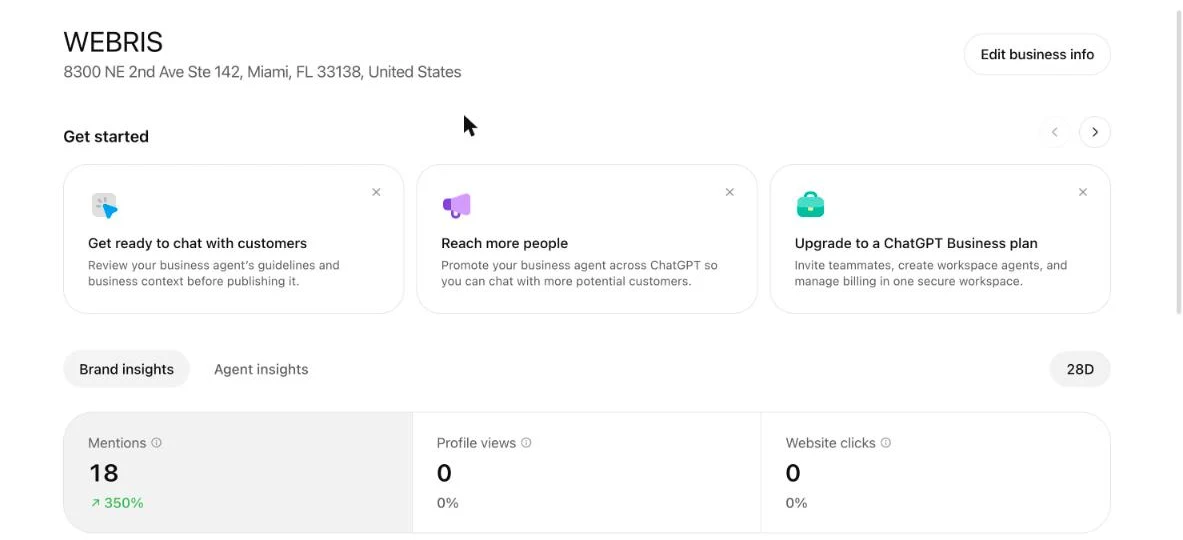
It has three sections:
- Overview: your profile, brand insights and agent insights.
- Agent builder: a chatbot for your business that customers can talk to inside ChatGPT.
- Products: feeds that put your products in ChatGPT's answers.
You manage it at chatgpt.com/business-hub or from the ChatGPT sidebar. According to OpenAI's setup guide, it's open to eligible businesses wherever ChatGPT is available.
How To Claim Your Business in ChatGPT
Go to chatgpt.com/business-hub, find your business and verify that you own it. Most businesses can do it in one sitting.

- Sign in to ChatGPT with the account you want to manage the business from.
- Open Business Hub from the sidebar or at chatgpt.com/business-hub.
- Find your business and start the claim. You need a website.
- Verify ownership. Options include a business phone number (text or call), a business email, a DNS TXT record on your domain or connecting a Shopify store. You only see the methods that apply to you.
- Pass the identity check. OpenAI uses Persona, which may ask for a government ID, registration details and proof you're authorized.
That second check matters. According to Flavio Copes' breakdown of the launch, you can't publish changes, connect a feed, view insights or create an agent until Persona approves you.
The blue check next to your name shows up after that identity check, not after the claim.
Doing this for a client? Get them on a call. The identity check needs the owner or someone they've authorized, so you can't do it from your desk alone.
How To Set Up Your Business Profile
Fill in every tab: About, Contact, Photos, Location and Hours. The preview on the right shows exactly what people see in ChatGPT.
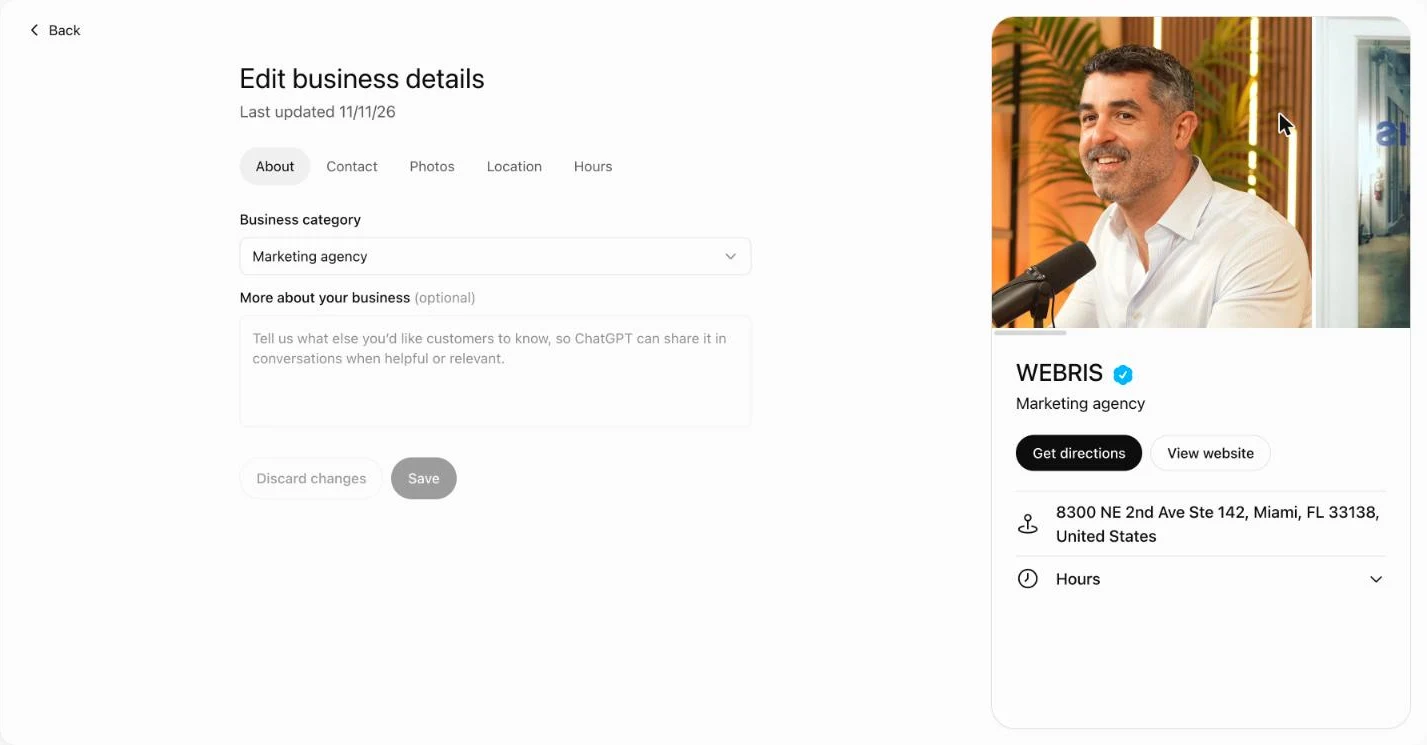
- About: your business category, plus a "more about your business" field. ChatGPT uses this in conversations "when helpful or relevant."
- Contact: phone and website.
- Photos: real photos of your team, office and work.
- Location and hours: these drive the "Get directions" button.
Don't leave the "more about your business" box empty. It's the one place you get to tell ChatGPT, in your own words, what you do and who you do it for.
Write it like a short service page. Your services, your locations, the clients you work with. Plain facts, no slogans.
OpenAI reviews every change before it goes live, so edits aren't instant.
What the Business Hub Insights Show
The Brand insights tab shows three numbers for the last 28 days: mentions, profile views and website clicks. You can switch between 7 and 28 days.
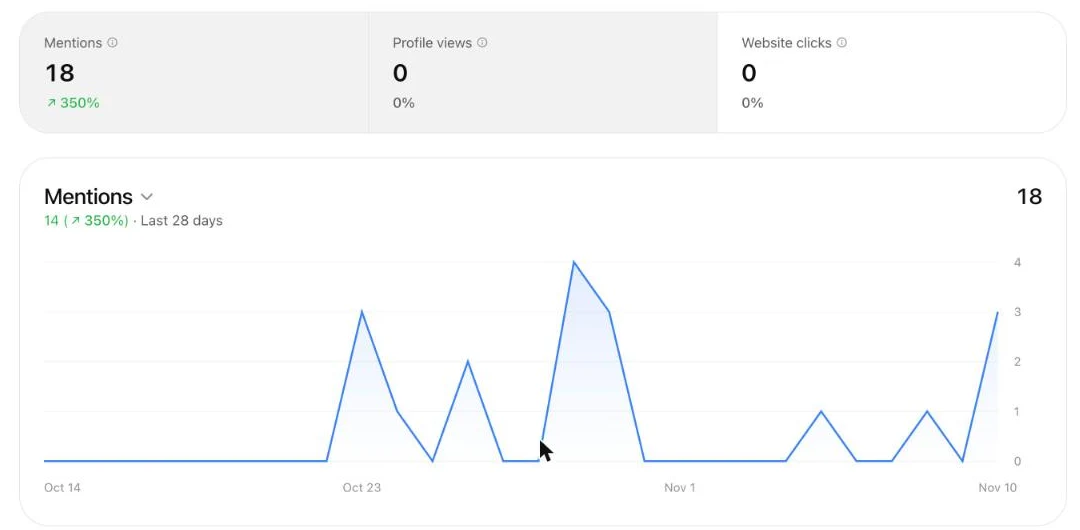
Here's what each one means, per OpenAI's definitions as summarized in Flavio Copes' breakdown:
- Mentions (online business): times ChatGPT referenced your website. Your brand name alone doesn't count.
- Mentions (local business): times ChatGPT showed a result for your location, even if nobody opened it.
- Profile views: people who opened your business profile.
- Website clicks: clicks through to your site.
WEBRIS had 18 mentions in the 28 days to Nov 10, up 350%. Profile views and website clicks were both zero. That makes sense: the profile only went live the day I claimed it.
One catch. Metrics only appear after activity passes a reporting threshold. A blank number isn't the same as zero.
Top 5 Discovery Topics
Discovery topics show the themes in the answers that mentioned you. They're grouped themes, not the actual prompts people typed.
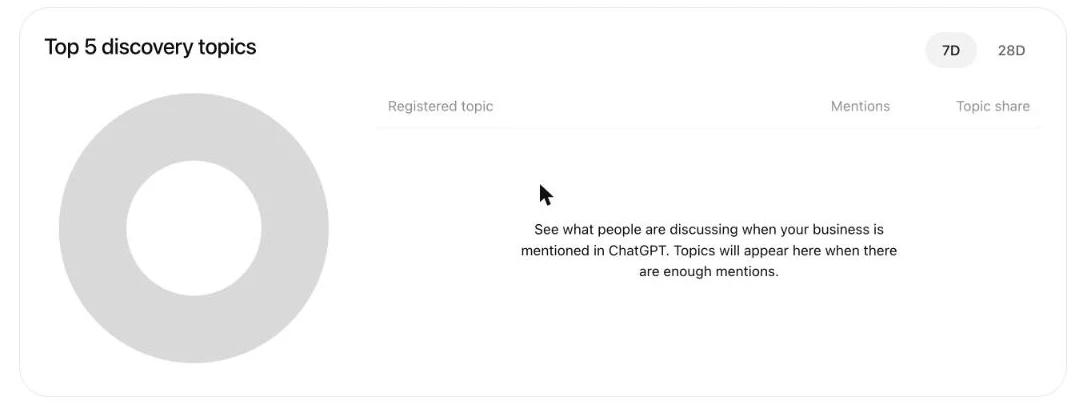
Ours was empty on day one: "Topics will appear here when there are enough mentions."
Once it fills in, this is the most useful part of the hub. It tells you what ChatGPT thinks you're known for. If the topics don't match the services you want to sell, that's your content plan.
Agent Builder: A Chatbot for Your Business Inside ChatGPT
Agent builder lets you create a business agent that answers customer questions inside ChatGPT. Most businesses can't use it yet.
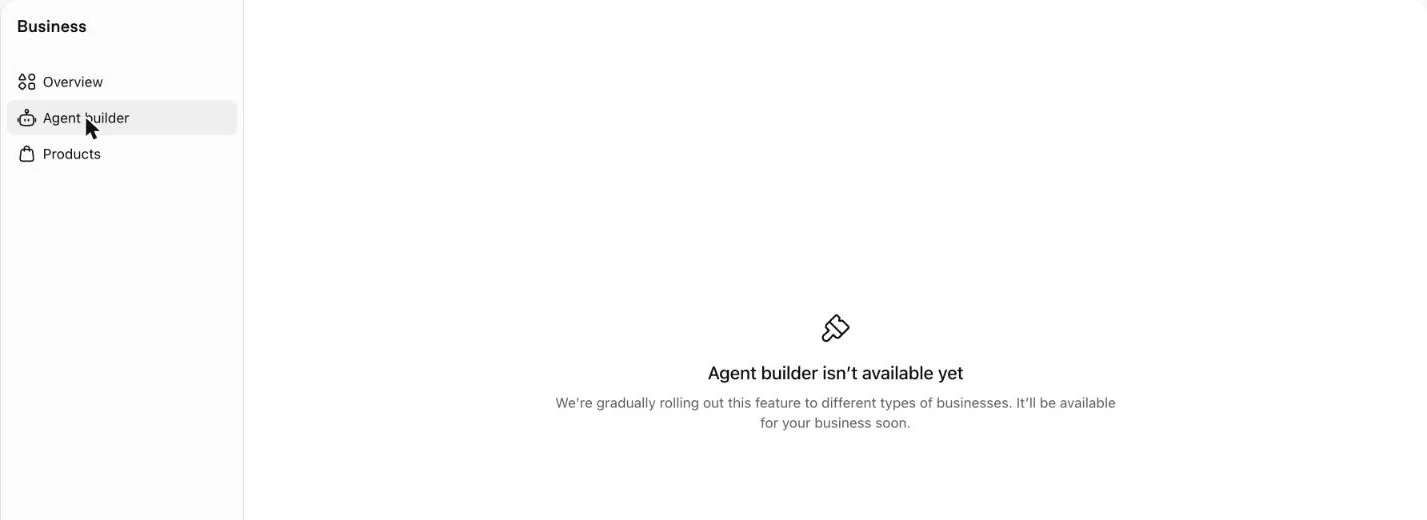
When I clicked it for WEBRIS: "Agent builder isn't available yet." OpenAI says it's rolling out gradually to different types of businesses.
Right now, Business Agents are limited to US ecommerce and online service businesses that have passed verification. They can answer questions about products and policies. They can't take bookings, complete purchases or look up orders.
Customers start a separate, labeled chat from your profile. Businesses can also sponsor their agent through ChatGPT ads. If you're running those, here's how to set up ChatGPT ads.
Products: Putting Your Catalog in ChatGPT's Answers
The Products tab lets you upload a product feed so your products show up in ChatGPT's answers and on your business profile. It's built for ecommerce.
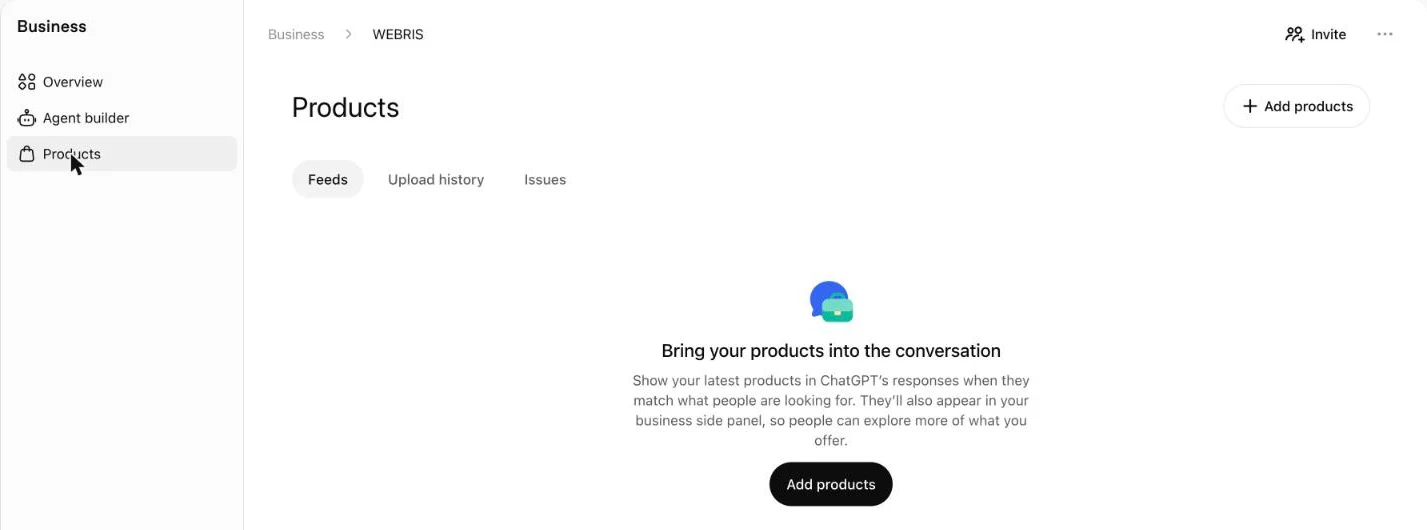
You can upload a CSV or JSONL file, or connect Shopify. The feed has 9 required fields, including title, description, URL, image, price and availability.
A standard upload targets the US. For service businesses and agencies, skip this tab until OpenAI adds something for services.
Why Third-Party AI Tracking Misses ChatGPT Mentions
Business Hub showed 18 ChatGPT mentions for WEBRIS in 28 days. On the same day, Ahrefs showed zero ChatGPT responses.
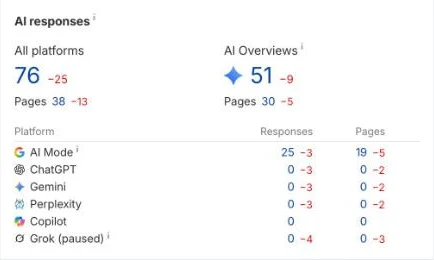
That's not a knock on Ahrefs. Every third-party AI tracker works the same way: it runs a list of prompts through ChatGPT and records what comes back.
It only sees the prompts it runs. Real people ask millions of questions the tracker never thought of. Business Hub counts the answers people actually got.
It's the same problem we found with Ahrefs and Semrush traffic estimates. The tool models reality. First-party data measures it.
Third-party tools still have a job. They're the only way to see how you compare with competitors, since you can't claim a competitor's Business Hub. Here's how to track AI visibility across ChatGPT, Gemini and AI Overviews.
Track the Traffic ChatGPT Sends You
Mentions are a leading indicator. Visits are the proof. Track sessions from ChatGPT in GA4 alongside the Business Hub numbers.
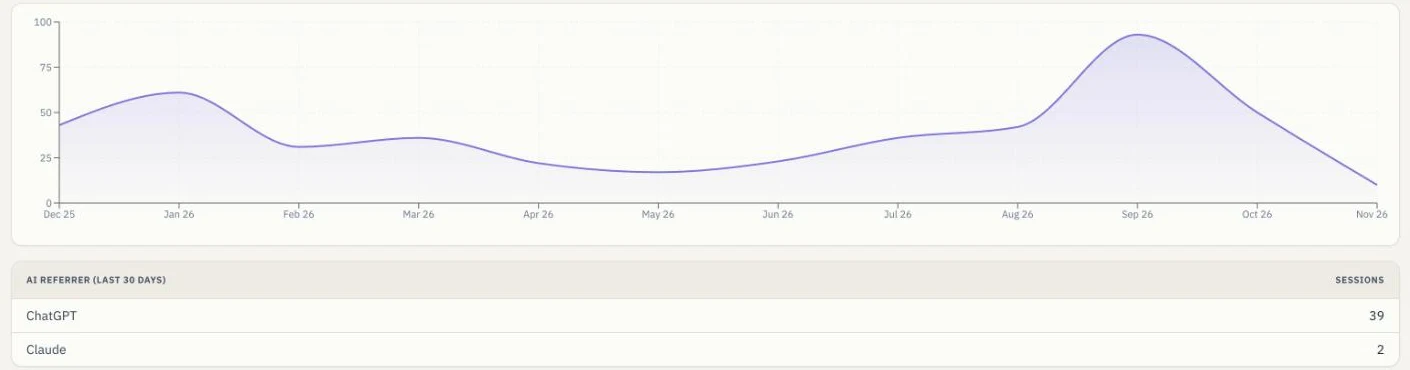
GA4 records ChatGPT visits as referrals from chatgpt.com. Filter your traffic acquisition report by session source to see them.
In Agency OS, we pull this into every client report automatically. For WEBRIS, ChatGPT sent 39 sessions in the last 30 days and Claude sent 2.
Notice the difference: 0 website clicks in Business Hub, 39 sessions from ChatGPT in analytics. Business Hub only counts clicks from your profile and its own tracking. Your analytics counts every visit from every ChatGPT answer.
Use both. Business Hub tells you how often you show up. Analytics tells you how many people came.
Track the Leads and Deals ChatGPT Sends You
The number that matters is revenue, so record "ChatGPT" as a lead source in your CRM. Ask every new lead how they found you, and log the answer.
| Stage | Leads |
|---|---|
| Won (became clients) | 9 |
| Proposal sent | 7 |
| Lost | 4 |
| Awaiting analysis | 1 |
| Not qualified | 1 |
| Total | 22 |
Here's what that looks like for WEBRIS. In the last 75 days, 22 leads came in with ChatGPT recorded as the source. 9 became clients.
A lot of AI-influenced leads never click a link. They ask ChatGPT, see a name, then search for it or type in the URL. Analytics files them under direct or branded search.
That's why the "how did you hear about us?" question matters more than ever. It's the only way to catch the AI influence your analytics can't.
If you need a CRM that tracks lead source by default, here's our take on the best CRM for agencies.
What To Offer Your Clients
Claiming and setting up Business Hub is a quick win you can sell today. Business owners are already searching for how to do it.
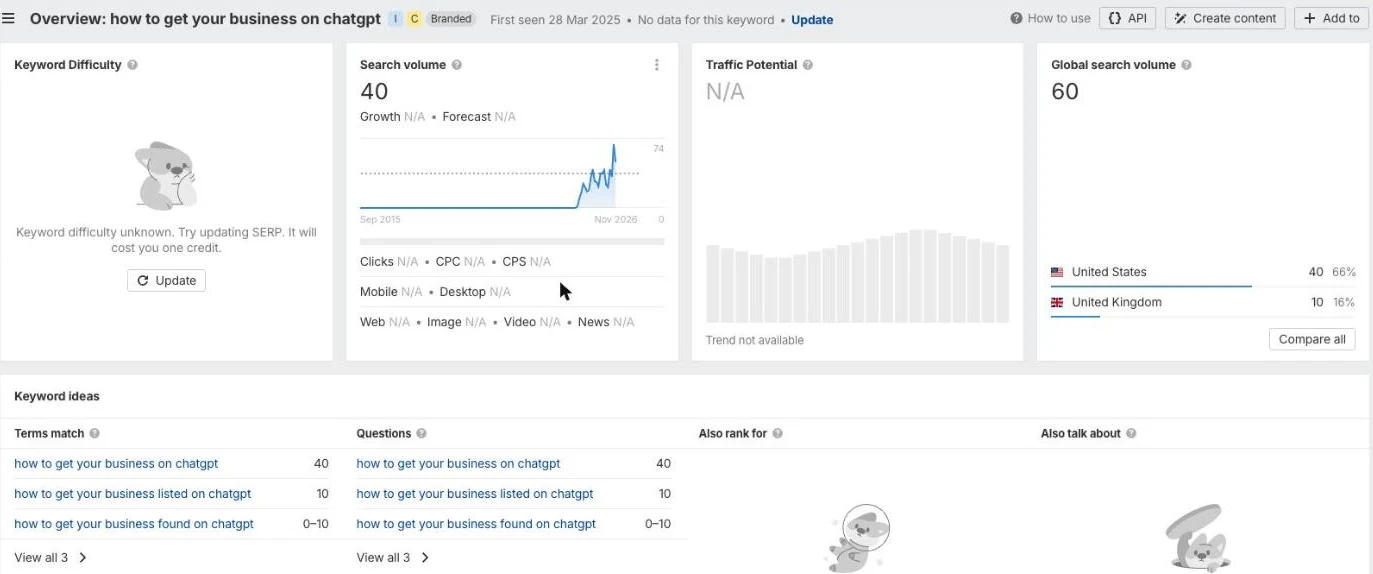
"How to get your business on ChatGPT" gets about 40 searches a month in the US, and the trend has climbed all year. That was before Business Hub existed.
Here's how I'd package it:
- Setup: claim, verify, fill out every tab, write the description. A one-time fee.
- Monthly reporting: mentions, discovery topics, ChatGPT sessions and leads from ChatGPT, next to their SEO numbers in the client report.
- Ongoing work: content built around the discovery topics, plus the reviews, citations and links that get a business mentioned in the first place.
Business Hub doesn't replace the work. It shows the client whether the work is paying off. That's what keeps a retainer.
Want the full process for getting clients mentioned in AI answers? Here's our AI SEO process.
ChatGPT Business Hub FAQs
Is ChatGPT Business Hub free? Yes. OpenAI lists no fee for claiming your business. ChatGPT ads are a separate, paid product.
Who can claim a business in ChatGPT? An owner or authorized representative of a business with a website. Local stores and restaurants can only claim an existing listing, and only in the US for now.
How do you verify a business in ChatGPT? First prove ownership with a business phone number, business email, a DNS TXT record or a Shopify connection. Then pass an identity check through Persona, which may ask for a government ID.
What counts as a mention in ChatGPT Business Hub? For online businesses, a mention is a time ChatGPT referenced your website. Your brand name alone doesn't count. For local businesses, it's a time ChatGPT showed a result for your location.
Does claiming your business help you rank in ChatGPT? OpenAI hasn't said it does. Claiming gives you accurate details and first-party data. Getting mentioned still depends on your website, reviews and what other sites say about you.
Can agencies claim Business Hub for clients? You can manage the setup, but the identity check needs the owner or someone they've authorized. Plan a short call with the client to get through verification.
Track AI Search Like You Track SEO
Blueprint members get Agency OS, which reports AI referral traffic, ChatGPT leads and SEO results in one client report, plus the training on how to sell and deliver it.
Join The Blueprint Training →